
Benifex
Decreasing u-turns by 85% with an AI global search capability
The goal was to enhance user engagement and content discoverability across a suite of employee benefits products. This could be validated by an increase in traffic to article and space pages as well as session times.
My role
UX Designer
Duration
5 months - Research, Design & Build
Team
1 UX Designer, 1 UX Researcher, 2 FE, 2 BE, 2 QA and 1 PM
Highlights
85%
decrease in employee u-turns
32%
increase in product NPS score
Defining the Problem
Why do we need a search?
We ran a series of 8 user interviews to understand what the current pain points were, focussing on information discoverability across the product suite.
Key findings
Navigation difficulty
Users noted it took a lot of clicks to find the information they were looking for
Lots of scrolling
Manually finding content within very long pages caused confusion and doubt
"I often think that I've been taken to the wrong place, but it's just taken me to the top of the page and I have to scroll down to find what I'm looking for."
Participant commenting on having to find content within very long pages
What does a good search journey look like?
We knew that there was a high user abandonment rate due to poor discoverability journeys. Conducting competitive analysis, user interviews and user tests would help me define what information we would need to initially surface to users.

Notes from competitor analysis
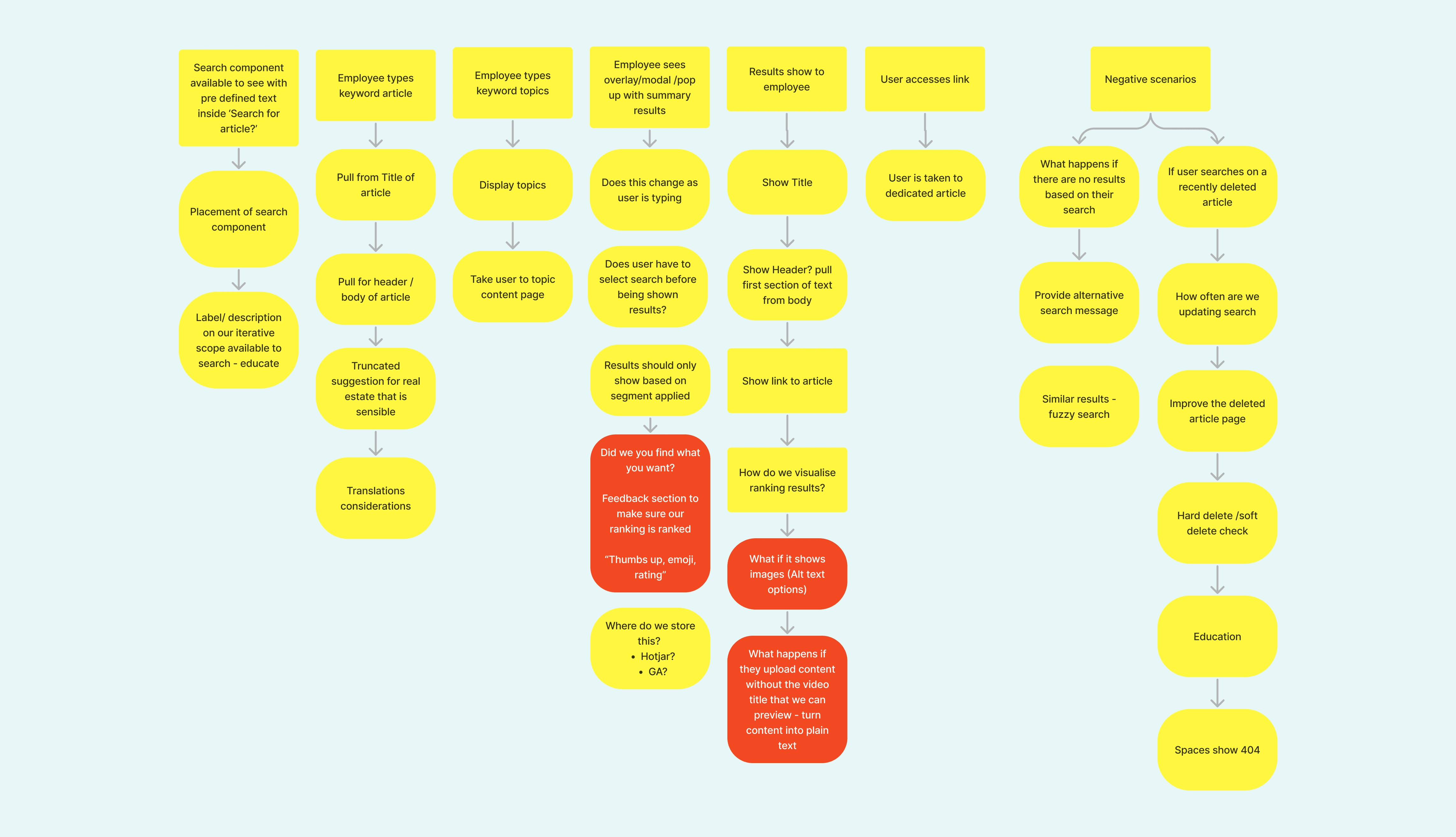
Search touchpoint user flow
Design
It was key that the search experience should be consistent no matter what product the user was starting their journey from. It therefore needed to be prominent and offer the user guidance when searching for benefit related content.
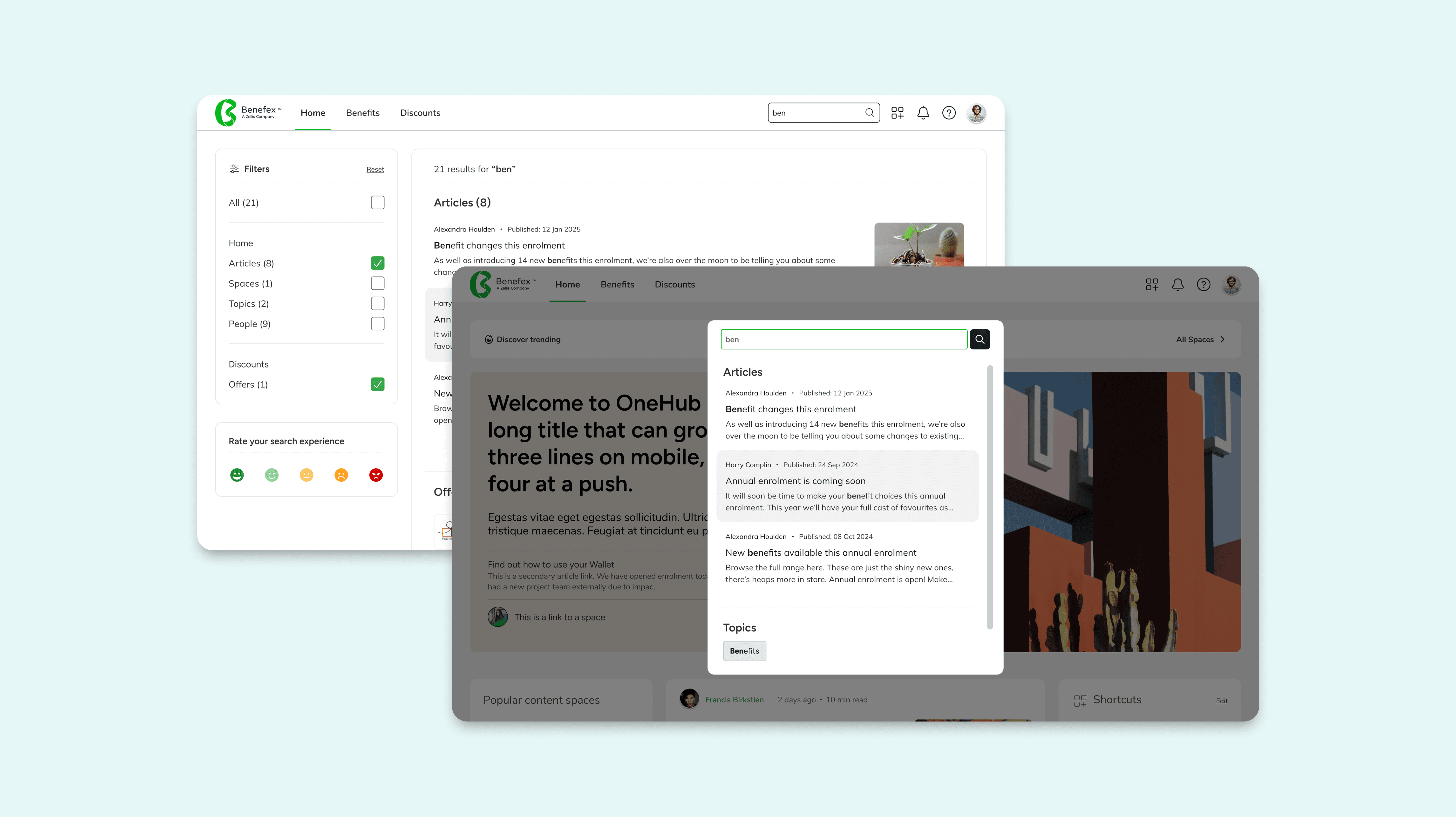
Search overlay and results page
How do user's find the new search experience?
We ran 3 rounds of moderated user testing with 15 participants, capturing existing pain points and search behaviour before collecting feedback from the two design phases.
We also externally tested different prototypes on Lyssna with over 200 unmoderated participants. The aim of these was to better understand the type of content user's would expect to find as well as where they'd expect to see the search bar.
Key findings & improvments
4.38
mean user rating, on a likert scale of 1-5, when asked how easy did you find this task?
Clearer content categorisation
Users expressed confusion about whether results were topics, spaces, articles or people
"I think it's easier to immediately see what you want to get. You can actually see what the articles are about or the section they're in".
Participant positively commenting on the detailed context provided with search results
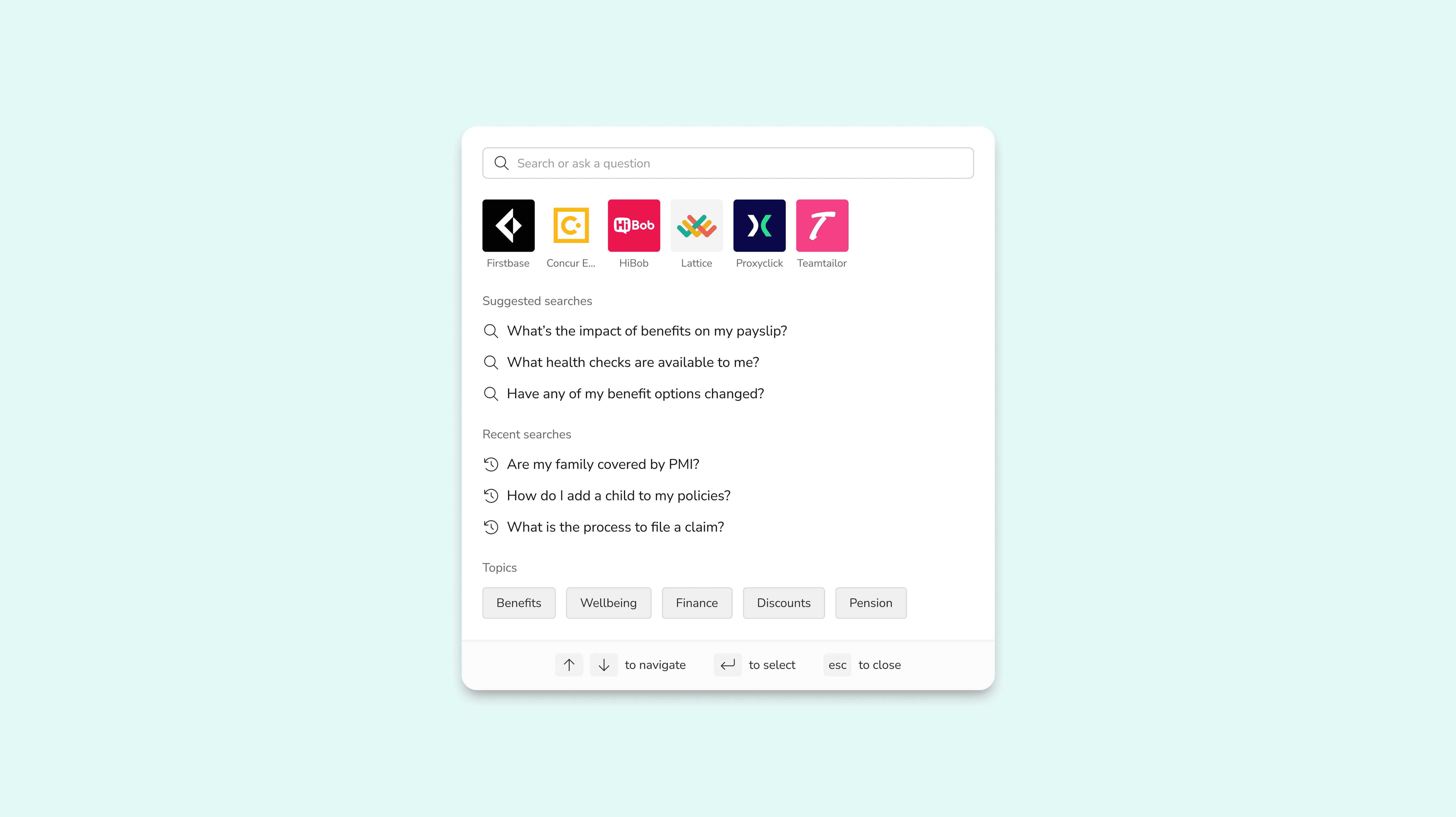
Updated search modal
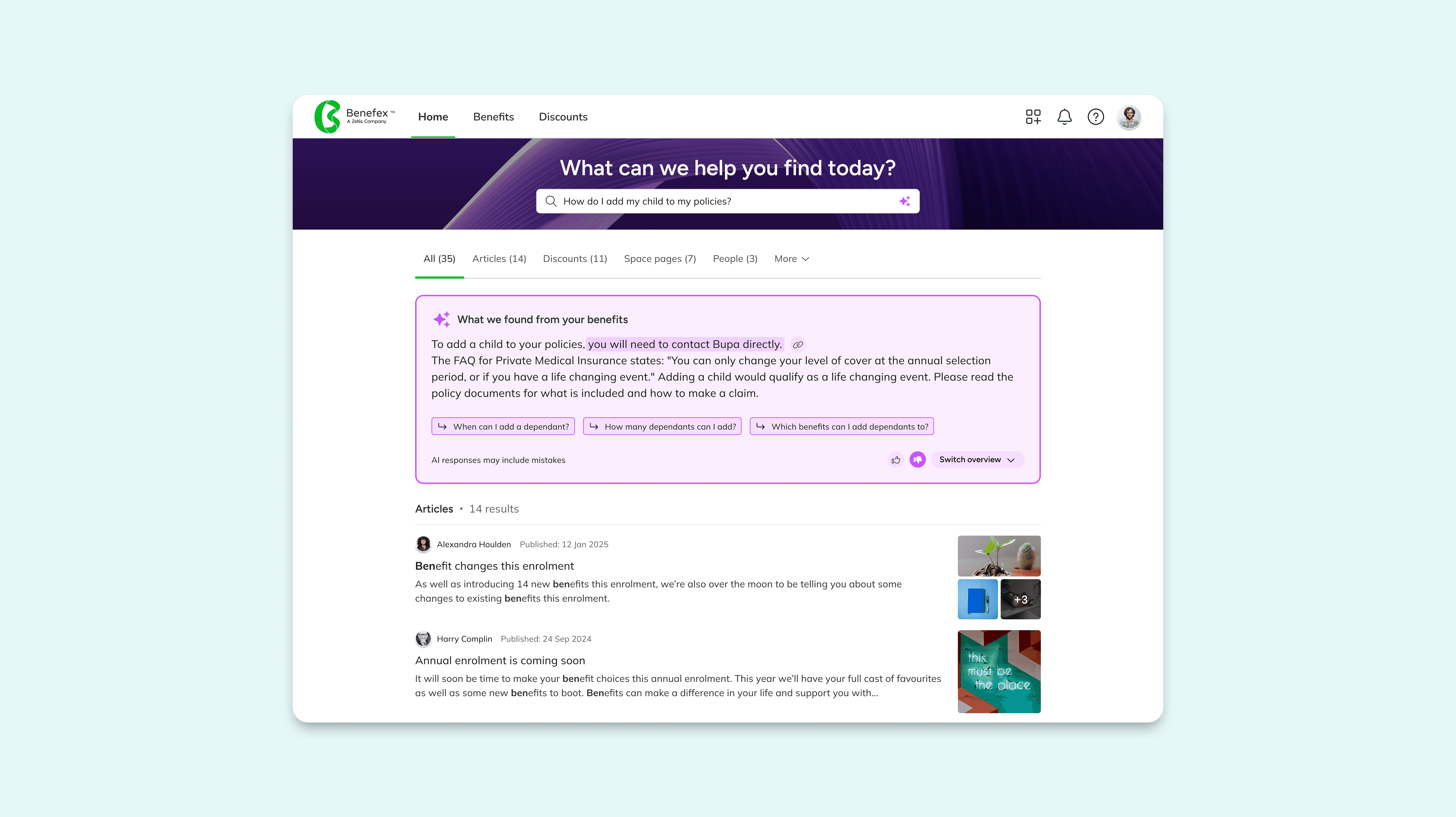
Search results page
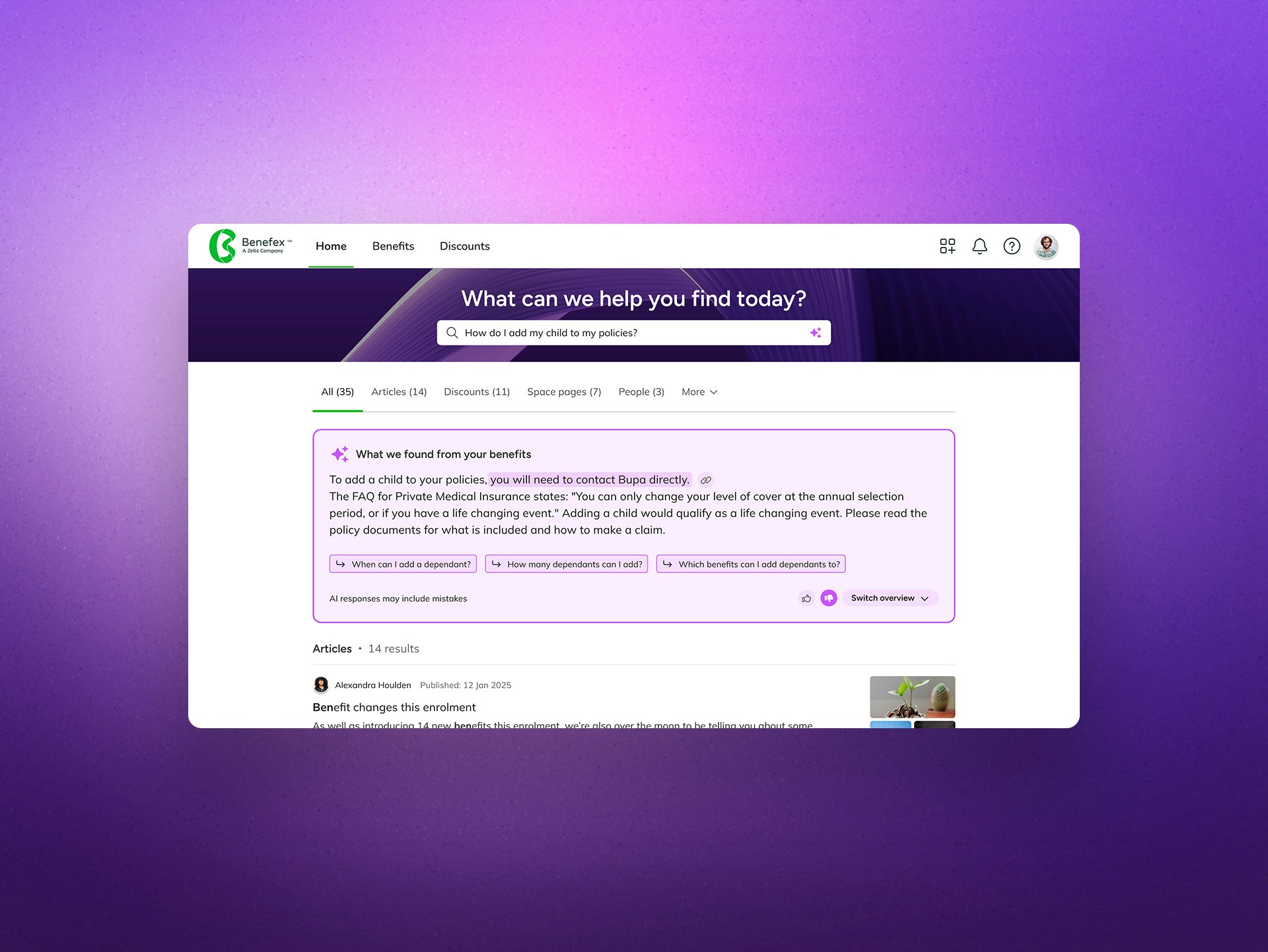
Benefit AI overview
Impact
After the iterative production release of the new search feature, I utilised Hotjar recordings and MongoDB data to track user engagement and address any usability issues. Utilising a year’s worth of data, including 3 months prior to the release of the first phase, we saw a positive trend in engagement.
32%
increase in product NPS score
62%
increase in time user session time
85%
decrease in user u-turns
Search analytics
Greater insight into user behaviour
We could also track the most popular searched keywords and the destinations user’s were taken too, giving us greater insights into the content user’s were looking which could help our Comms with targeted content as well as inform us of better features and widgets to display on the home landing page.

